Guide index
User manual
Availability
Weekly rules, time bands, and exceptions.
Updated November 2026
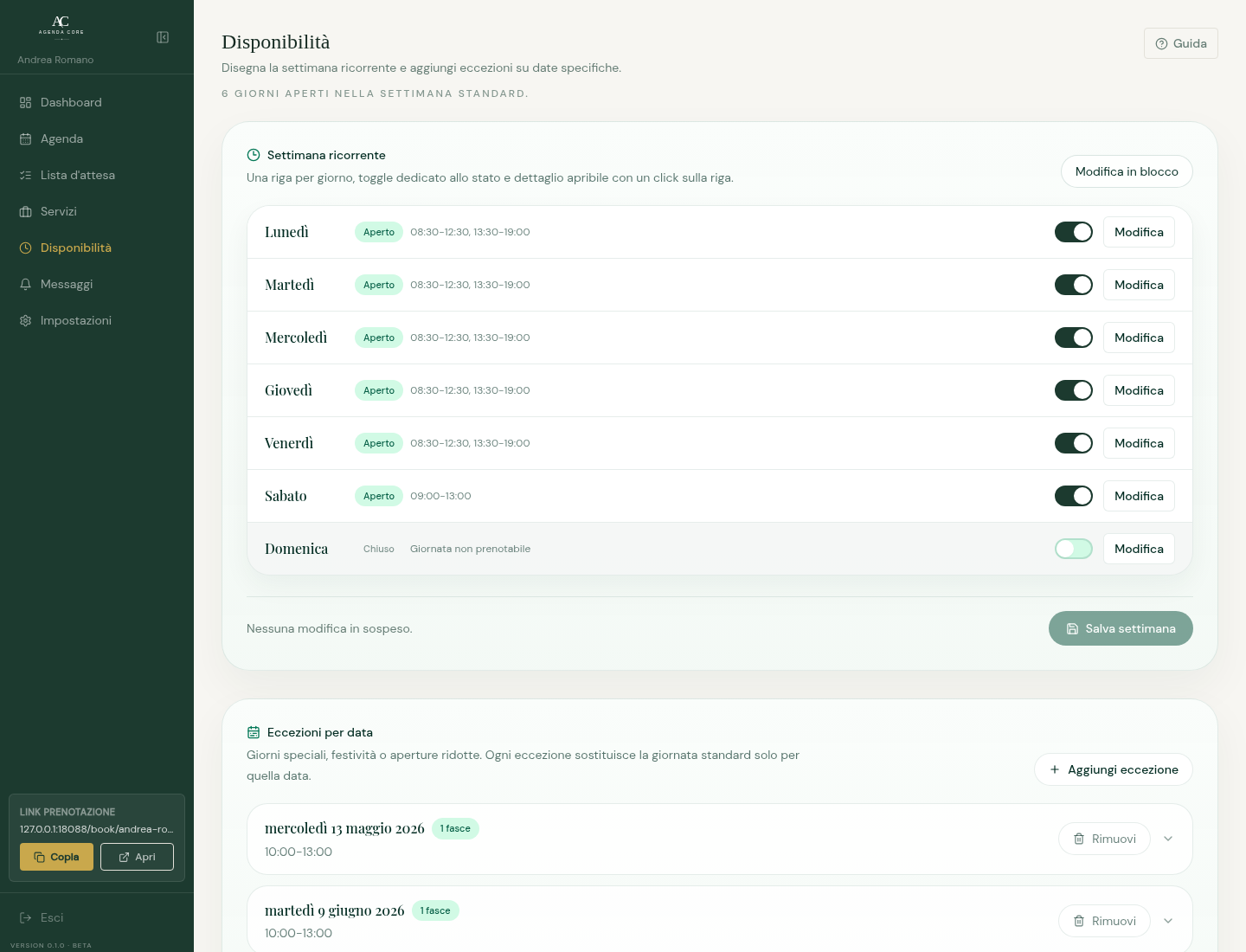
Availability decides when clients can book. Weekly rules are the recurring baseline; exceptions change single dates without touching the rest of the week.
Recurring week
Standard days and time bands.
The recurring week is the baseline used to calculate bookable slots whenever a date has no exception.
- Enable working days; open each day and enter start and end. Add intervals to separate morning and afternoon or remove unused ones.
- Correct reversed or overlapping intervals and save from the bottom bar. Unsaved changes do not update slots; weekly rules and overrides are included in Free and Core.
Date exceptions
Special closures or openings on single dates.
An exception replaces the weekly rule for that date only. Use it for holidays, closures, or special hours.
- Select New override, choose a date, and leave zero intervals to close the whole day or add special hours.
- Open an override to edit it; Remove restores the weekly rule on that date after saving.
- Duplicate dates or overlapping intervals prevent saving. No overrides configured means weekly hours apply alongside blocks and appointments.
How rules shape public slots
- Weekly band
- Opens a recurring bookable window. If Monday is 09:00-13:00, services fit only when duration plus buffer stays inside that window.
- Multiple bands
- Split morning and afternoon. A slot never crosses the gap between two bands.
- Date exception
- Replaces the rule for that specific day. Use it for closures, extra openings, or special hours.
- Default and service buffer
- A service buffer overrides the account default. Leave it empty to inherit the default, or set it to 0 to disable buffering for that service.
Apply the same hours to several days
- Open Apply the same hours to several days (Bulk edit on mobile) and select destination days.
- Enter one or more intervals and apply them. Selected days are enabled and receive the same intervals; check the summary before Save availability.
- If the action does not proceed, select at least one day and check valid intervals. Applying updates the draft; final saving is still required.